How to update your credit card or billing details

This article explains how to update the credit card or billing details associated with your Hireflix account.
Updating your billing details
- Log in to your Hireflix account.
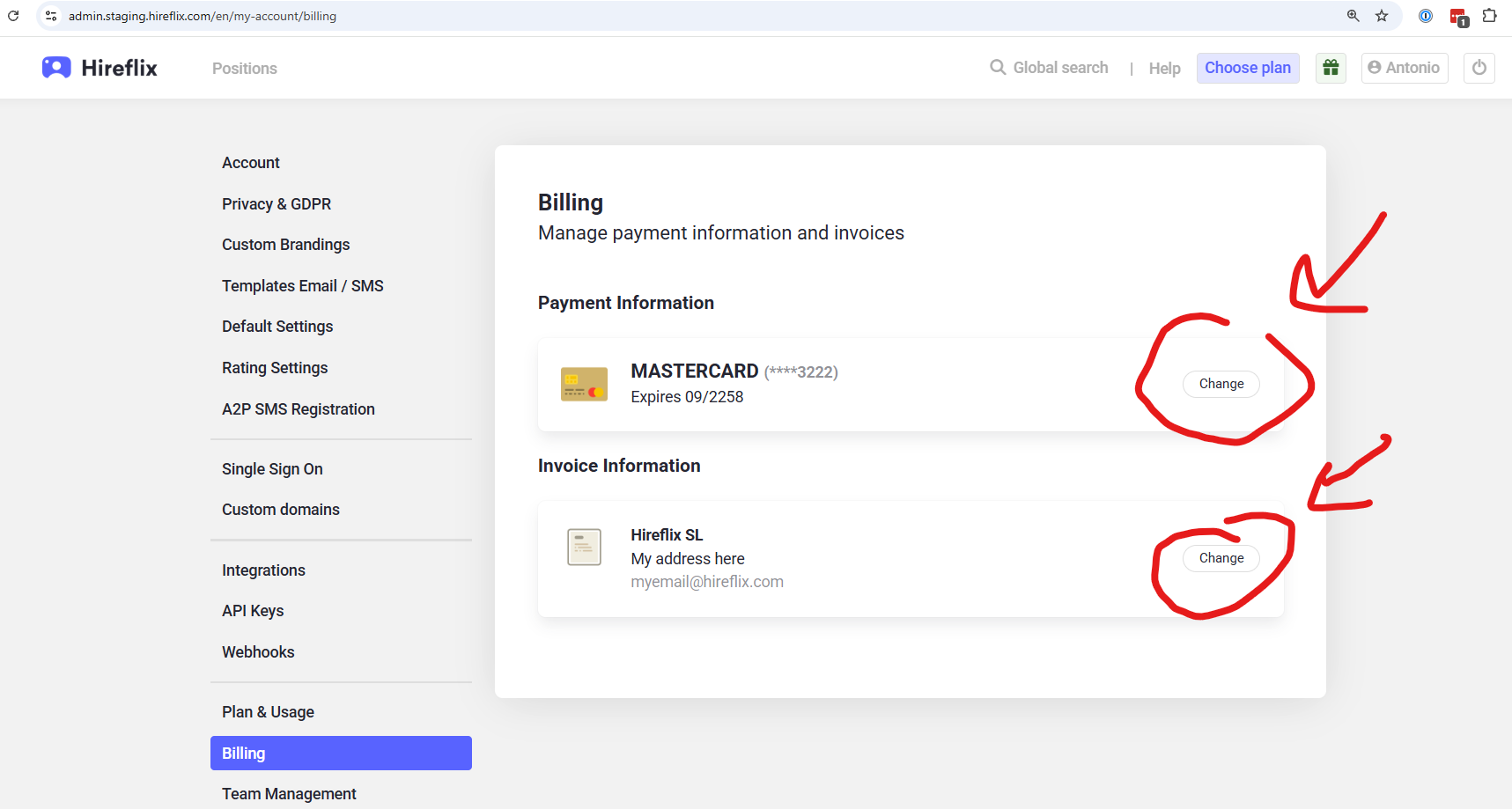
- Go to Account > Billing.
- Update your credit card or billing details from there.
What if someone else needs to update the billing details?
At the moment, only the account owner can update the billing details. If someone else in your team needs to update the credit card or billing information, you will first need to transfer account ownership to that person.
The person must already be part of your Hireflix account before ownership can be transferred to them.
Step 1: Transfer ownership to the person who needs to update billing
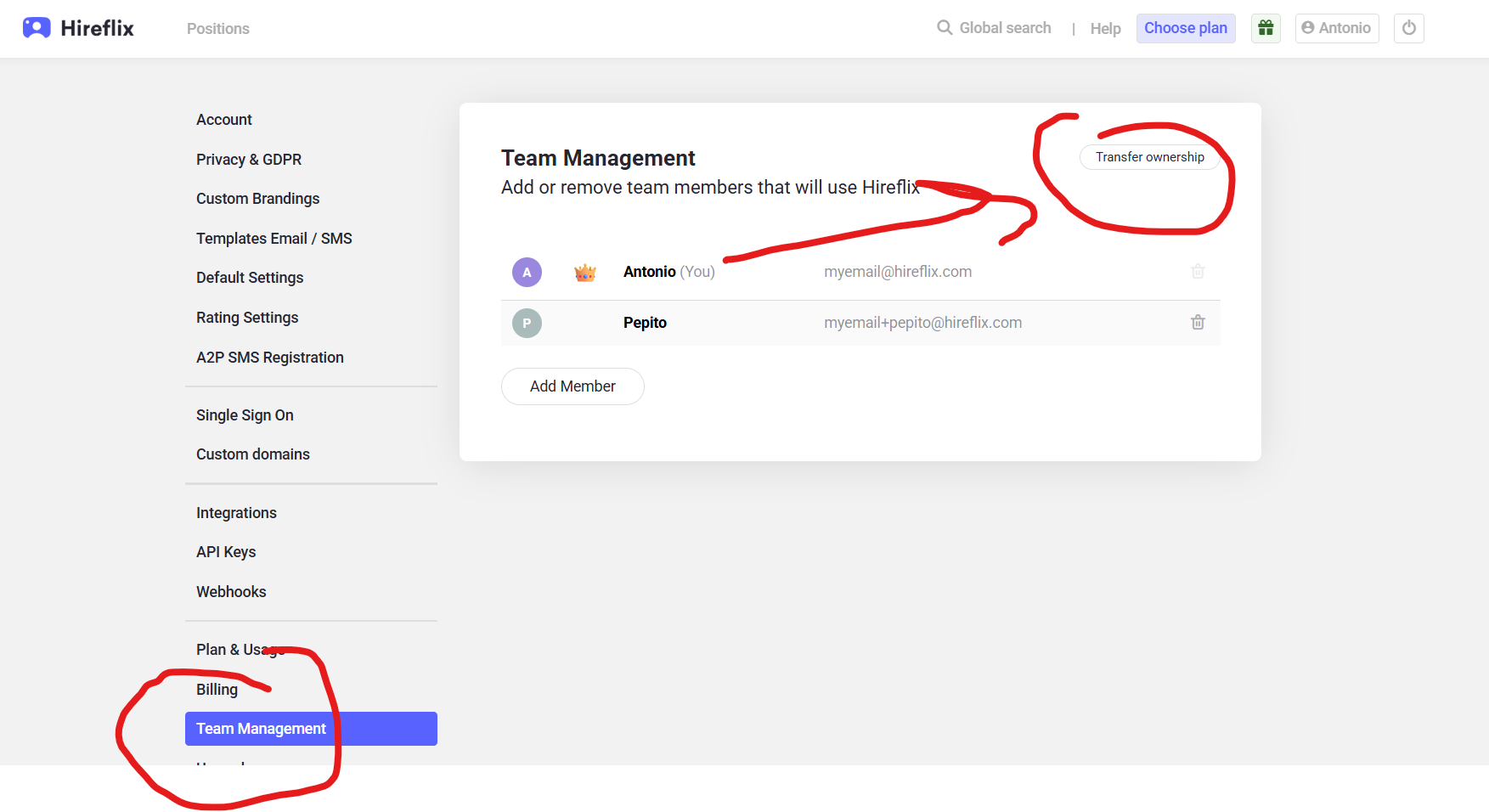
- Go to Account > Team Management.
- Find the user who needs to update the billing details.
- Use the ownership transfer option to make them the account owner.
Step 2: Ask the new owner to update the billing details
- The new owner should go to Account > Billing.
- They can then update the credit card or billing details.
Step 3: Transfer ownership back if needed
Once the billing details have been updated, the new owner can transfer ownership back to the original account owner from Account > Team Management.
