If a candidate replies to invite, reminder or completion emails, who receives their emails?

When a candidate replies to an email sent from Hireflix (such as an interview invite, a reminder, or a completion email), the reply does not go to everyone on the team or to the internal notifications list. Instead, Hireflix follows a clear set of rules to determine where that reply is delivered.
Short answer
- By default, the reply goes to the user who invited the candidate.
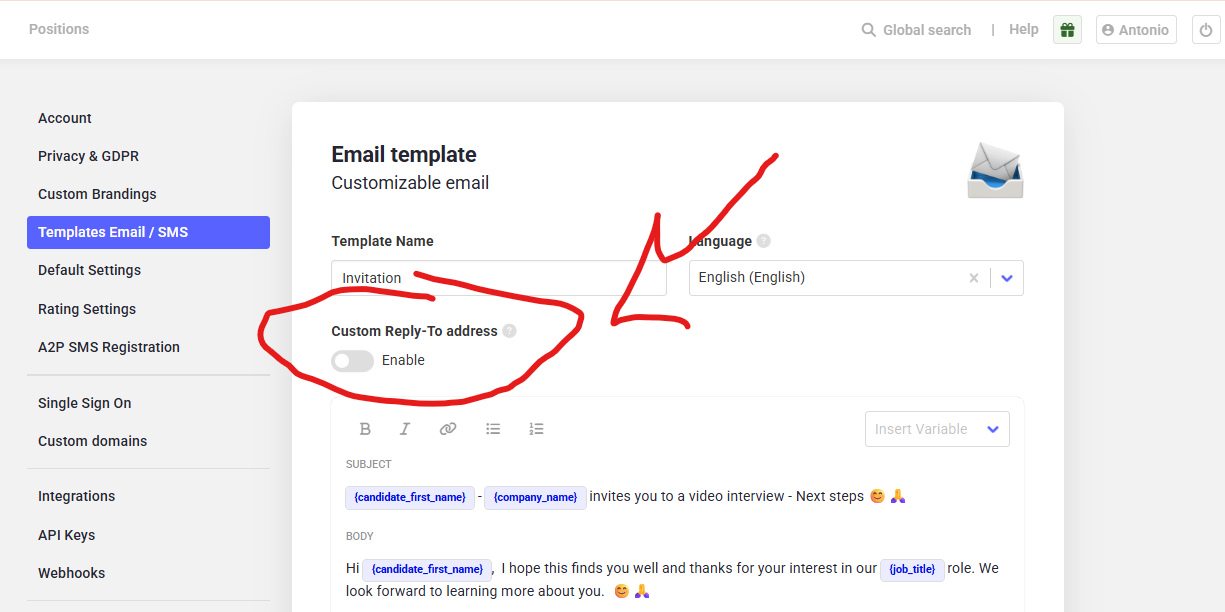
- If a Custom reply-to address is enabled in the email template, replies go to that address instead.
- For invites sent via ATS integrations or public links, replies go to the account admin, unless a Custom reply-to address is set.
Important distinction: replies vs internal notifications
Internal Notifications control who is notified when an interview is completed. They do not determine who receives emails when a candidate replies.
These are two separate systems:
- Internal Notifications → who gets notified when interviews are completed
- Email replies → who receives a candidate’s response to an email
Default behavior (no custom reply-to address)
If no custom reply-to address is configured in the email template:
- The reply goes to the user who sent the invite.
- For example:
- If Kim sends the invite, Kim receives the reply.
- If Rowan sends the invite, Rowan receives the reply.
Using the “Custom reply-to address” setting
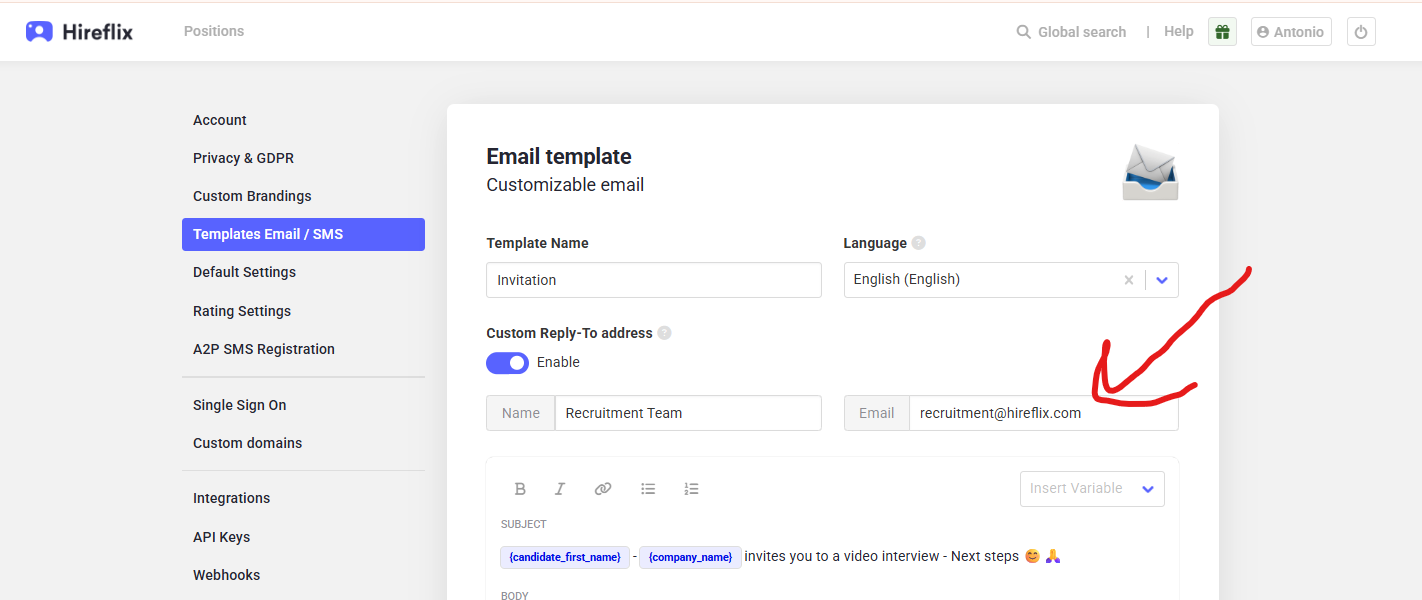
Email templates include an optional setting called Custom reply-to address. When this is enabled, all candidate replies to emails using that template are sent to the specified email address, regardless of who sent the invite.
This is useful when replies should always go to a shared inbox, such as:
- recruitment@company.com
- recorded-applications@company.com
- a central HR or admissions inbox
To configure this:
- Go to Account → Templates Email / SMS.
- Edit the relevant email template.
- Enable Custom reply-to address.
- Enter the email address that should receive replies.
- Save the template.
ATS integrations and public links
There is one important exception to the default behavior.
If candidates are invited via:
- An ATS integration, or
- A public invite link
Then the system automatically assigns the account admin as the inviter. In these cases:
- Candidate replies go to the admin’s email by default.
- To control where replies go, you must configure a Custom reply-to address in the email template.
Important notes
- Changes to reply settings only affect new invites. Replies to past invites will continue to go to the address that was set at the time.
- Different templates can have different reply-to configurations. Some templates may have Custom reply-to enabled, others not.
- If replies are going to an unexpected address, review the email template used for that invite.
Recommended best practice
If multiple team members send invites, or if invites are sent via ATS integrations or public links, we recommend enabling a Custom reply-to address on all active email templates to ensure replies consistently go to the correct inbox.
